Customer Resources
CE attestation of conformity, valid until 2029
Laser Manuals and Downloads
Owner guides, the EZCAD2 software manual, our CE certificate and official JPT laser source datasheets for Haotian fiber and UV laser machines. Free to download, no account needed.
1Owner guide
1Software manual
1CE certificate
11JPT datasheets
PDFEnglish
Owner Guide
Start here after unboxing. Written for Haotian split fiber laser marking machines.
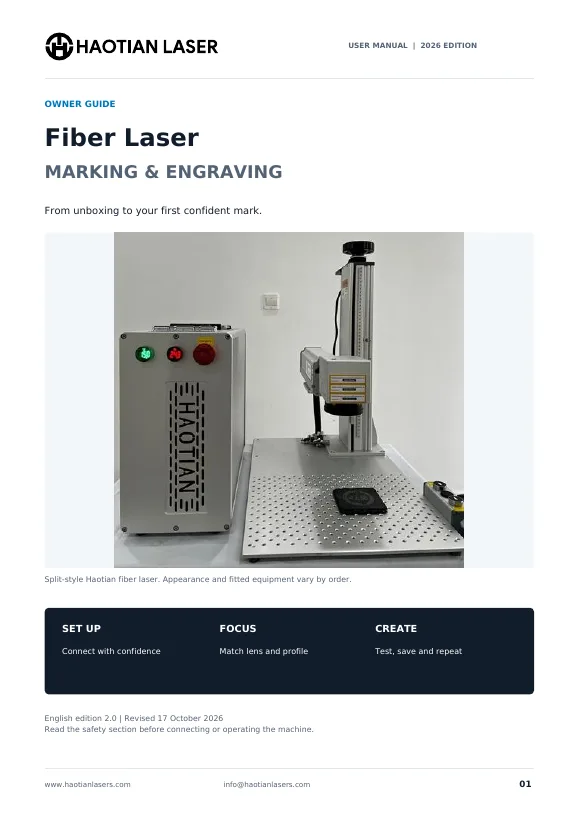
Owner guide
Haotian Fiber Laser User Manual
From unboxing to your first confident mark. Safety, connections, EZCAD2 installation, focusing, lens changes, LightBurn setup, rotary engraving, troubleshooting and maintenance, step by step with photos.
- Safety and workspace 03
- Overview and accessories 05
- Connections and startup 08
- Backups, drivers and EZCAD2 10
- Focus and lens changes 13
- Text, settings and artwork 15
- LightBurn device setup 19
- Rotary setup 20
- Troubleshooting 23
- Maintenance and advanced work 26
- Help, checklist and records 28
- Technical references 31
Covers JPT M7, EM7, LP and MOPA, plus Raycus fiber machines running EZCAD2. The water cooled M8 models with the G3 PRO 2.5D head and EZCad3 have their own setup, so contact us for M8 guidance.
Software Manual
The full reference for the EZCAD2 marking software that runs on most Haotian fiber and UV machines.
Software
EZCAD2 2.14.9 User Manual
Every menu and tool explained: drawing, hatch fills, text and fonts, barcodes and QR codes, serial numbers and variable text, bitmap and photo engraving, pen and laser parameters, rotary marking and production control.
- Interface and file menu 01
- Edit and hatch fill 14
- Array and transformation 22
- Text, curve and circle text 42
- Barcodes and QR codes 47
- Variable text and serial numbers 53
- Bitmap and photo engraving 69
- Vector file import 74
- View menu 82
- Laser menu and multi file mark 89
- Rotary mark 105
- Pen list and marking parameters 116
For EZCAD2 machines: JPT M7, EM7, LP and MOPA, Raycus, the 20W and 50W M8 and our UV lasers. The 100W, 120W and 200W M8 run EZCad3 with the G3 PRO 2.5D head.
Certificates
Compliance documents for importers, customs and safety officers in the EU and worldwide.
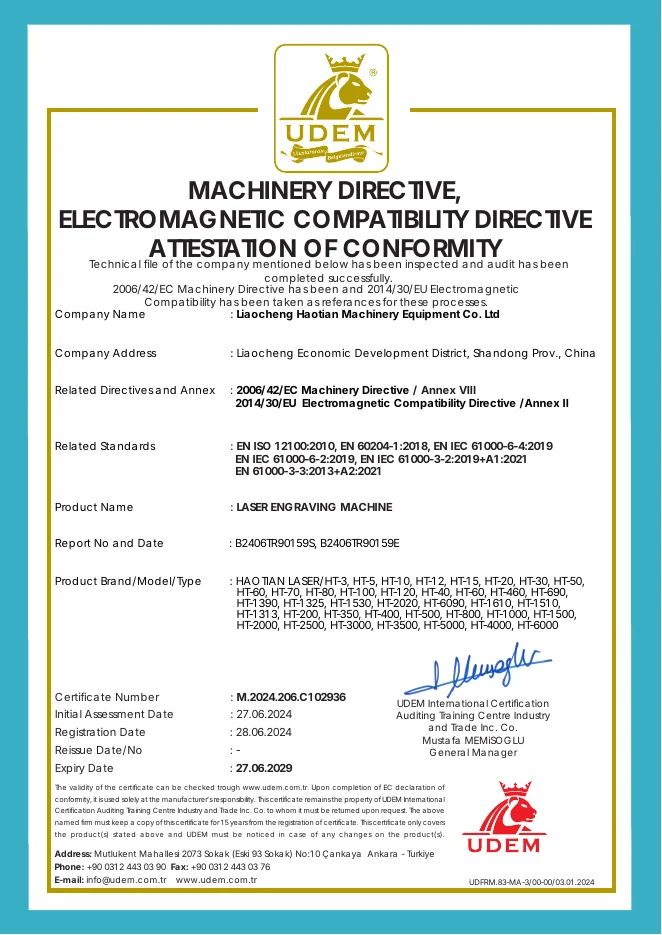
Certificate
CE Attestation of Conformity
Haotian laser engraving machines have been audited against the EU Machinery Directive and the Electromagnetic Compatibility Directive. The certificate covers the HT model range, including our fiber, UV, CO2 and CNC fiber laser machines.
| Certificate number | M.2024.206.C102936 |
| Directives | 2006/42/EC Machinery Directive, Annex VIII2014/30/EU Electromagnetic Compatibility Directive, Annex II |
| Standards | EN ISO 12100:2010, EN 60204-1:2018, EN IEC 61000-6-4:2019, EN IEC 61000-6-2:2019, EN IEC 61000-3-2:2019+A1:2021, EN 61000-3-3:2013+A2:2021 |
| Product | Laser engraving machines, Haotian Laser HT series |
| Manufacturer | Liaocheng Haotian Machinery Equipment Co. Ltd, Shandong, China |
| Issued by | UDEM International Certification |
| Registered | 28 June 2024 |
| Valid until | 27 June 2029 |
Need the certificate for customs clearance or a tender? Download the PDF here, or email us your order number and we will send it with your shipping documents.
JPT Fiber Laser Source Datasheets
Official manufacturer manuals with optical, electrical and pulse data for the source inside your machine.
JPT M7 60W, 80W, 100W and 120W
YDFLP-60-M7-M-R to YDFLP-120-M7-M-R
Used in60W M7, 80W M7, 100W M7, 120W M7
PDF, 1.5 MBDownload
JPT M7 200W
YDFLP-200-M7-M-R
Used in200W M7
PDF, 1.3 MBDownload
JPT EM7 60W
YDFLP-E-60-M7-M-R
Used in60W JPT M7 E
PDF, 1.2 MBDownload
JPT M7 E2 60W
YDFLP-E2-60-M7-M-R
Used in60W JPT M7 E2
PDF, 1.3 MBDownload
JPT LP Series 20W, 30W and 50W
YDFLP-E-LP
Used in30W LP, 30W LP Compact, 50W LP
PDF, 2.1 MBDownload
JPT M8 20W
YDFLP-20-M8-S-R
Used in20W M8
PDF, 2.4 MBDownload
JPT M8 100W
YDFLP-100-M8-M-R
Used in100W M8 glass drilling
PDF, 1.2 MBDownload
JPT M8 120W, 200W and 300W
YDFLP-120/200/300-M8-S-W-V2
PDF, 1.5 MBDownload
JPT UV Laser Source Datasheets
355 nm UV sources used in our cold marking machines.
JPT Lark-355-5A 5W
Lark-355-5A, air cooled
Used in5W UV Laser
PDF, 1.2 MBDownload
JPT Seal-355-10S 10W
Seal-355-10S, water cooled
Used in10W UV Laser
PDF, 1.3 MBDownload
JPT Seal-355-15S 15W
Seal-355-15S, water cooled
Used in15W UV Laser
PDF, 1.2 MBDownload
No document matches your search. Email info@haotianlasers.com and we will send the right file.
Need help with your machine?
Our team supports every Haotian laser for life by email. Send a short description and a photo or video of the issue and we will reply with clear next steps, settings or replacement parts.
- Your order number or invoice
- Machine model and a photo of the laser source label
- Software and version: EZCAD2, EZCad3 or LightBurn
- Photo or short video of the problem
- Lens size and the settings you used
Questions About Manuals and Certificates
Are Haotian laser machines CE certified?
Yes. Haotian laser engraving machines hold a CE attestation of conformity for the Machinery Directive 2006/42/EC and the EMC Directive 2014/30/EU, issued by UDEM International Certification. Certificate M.2024.206.C102936 is valid until 27 June 2029 and can be downloaded on this page.
Where can I learn EZCAD2?
Download the EZCAD2 2.14.9 User Manual on this page. It explains every menu, from hatch fills and barcodes to serial numbers, bitmap engraving and laser parameters. The Haotian Fiber Laser User Manual covers the first setup, focus and test marks.
Which manual do I need for my machine?
Start with the Haotian Fiber Laser User Manual for setup and daily use. Then download the JPT datasheet for the source in your machine, listed under Used in on each card, or use the Documents box on your product page.
Does the user manual cover the M8 glass drilling lasers?
No. The 100W, 120W and 200W M8 are water cooled and ship with the G3 PRO 2.5D head and EZCad3, which have their own workflow. We guide every M8 owner through setup directly by email.
Are the datasheets official?
Yes. Every datasheet is the original user manual published by JPT for that laser source, with the full optical, electrical and cooling specifications.
Can I get a printed copy?
Yes. Print the PDF on A4 or Letter paper, or email us and we will send the files again.