
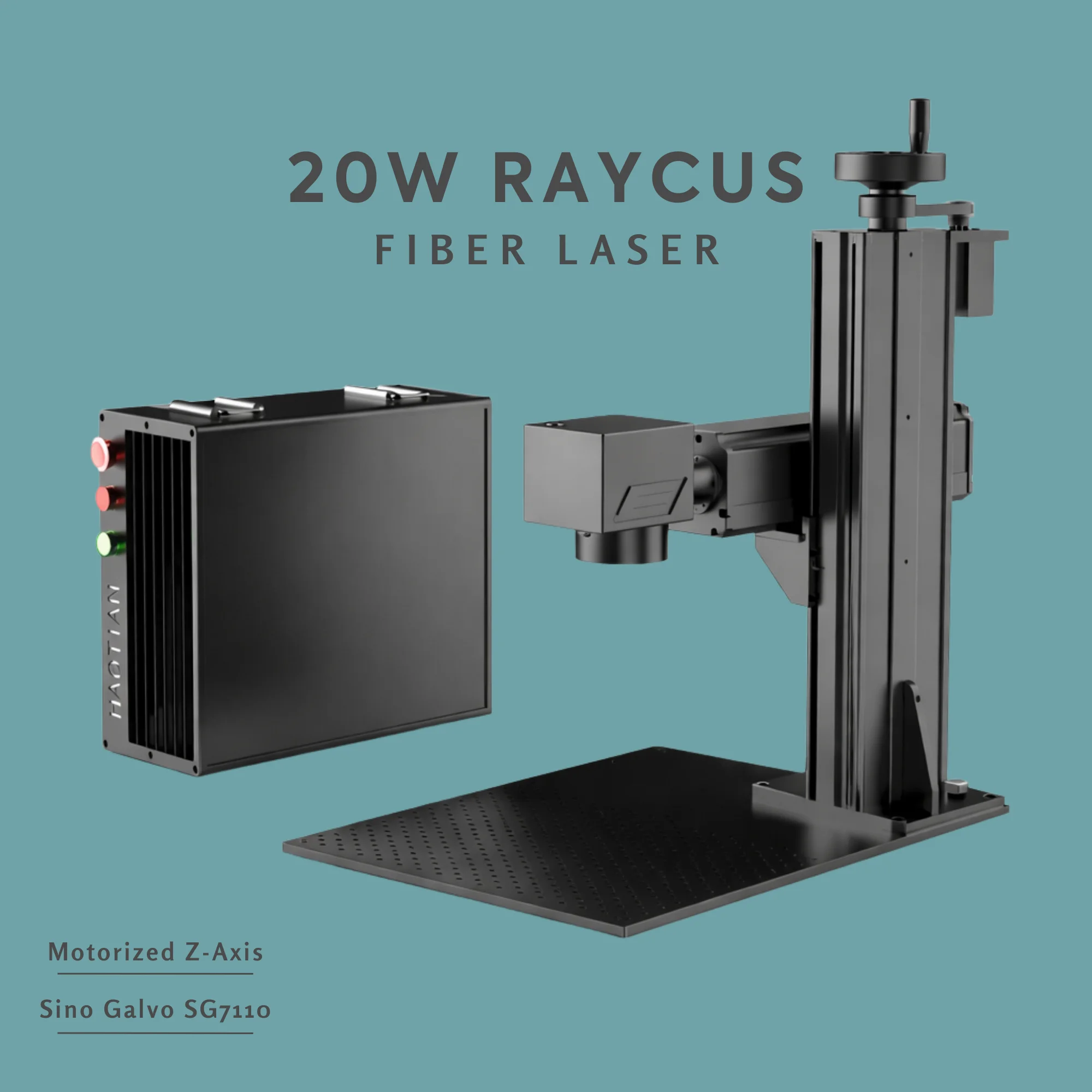


Haotian Fiber Laser // 20W Raycus
20W Raycus Fiber Laser: The Smallest Viable Production Marker
For shops that mark all day, every day, on small metal parts. Air cooled, 5,000 mm/s, plug in and run. No chiller, no extras, no upgrade path you do not need.
Source: Raycus RFL-P20QS
Cooling: Air
Warranty: 3 years
Shipping: Free DDP US/CA/EU
The 20W is built for one job: marking. If you run a small shop where the workflow is logos, serial numbers, QR codes, asset tags, and identification on metal parts that fit inside 110 by 110 millimeters, the 20W Raycus does that work as fast as a 30W or 50W on the same files. The bottleneck on simple marking is galvo speed and software, not source power.
Where this machine pays for itself is in production volume on small parts. A jewelry repair shop running 200 ring tags per week. A small parts manufacturer marking part numbers on 1000 components per shift. A repair facility serializing tools. The Raycus RFL-P20QS source is the highest-volume pulsed fiber source ever shipped from China, which means parts pricing and field service support are the cheapest in the industry.
The trade-off is honest. This is a Q-switched source, not MOPA. It does monochrome marking on metals very well. It does not do color marking on stainless or titanium. Pulse duration is fixed at 120 to 150 nanoseconds at 30 kilohertz. If those constraints fit your work, the math is hard to beat.
At a Glance
- Power20W
- Wavelength1064 nm
- Pulse Energy0.66 mJ
- Frequency30-60 kHz
- M2< 1.6
- Speed5,000 mm/s
- Min Character0.15 mm
- Min Line0.01 mm
- CoolingAir
- Warranty3 years
Is This The Right Machine For You?
✓ Buy the 20W Raycus if
- You mark small metal parts (under 110 x 110 mm) at production volume
- Monochrome marking is all you need (no color requirement now or in the next two years)
- You want the lowest power consumption and the smallest footprint in the lineup
- You want the cheapest replacement parts in the industry over the machine's lifetime
- Your work is logos, text, barcodes, QR codes, serial numbers, or anodized aluminum marking
✗ Choose a different machine if
- You need color marking on stainless or titanium → 30W or 60W JPT EM7 MOPA
- You do regular deep engraving → 60W EM7 minimum, 100W M7 sweet spot
- You need to cut thin metal → 100W M7 or higher
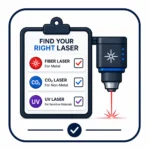
- You mark powder-coated tumblers → 40W or 60W CO2 galvo (fiber leaves burned residue)
- You mark glass, PCBs, or heat-sensitive plastics → UV laser instead
Full Specifications
Raycus RFL-P20QS Source & Machine
Average power20W minimum
Wavelength1064 nm
Single pulse energy0.66 mJ at 30 kHz
Pulse duration120-150 ns at 30 kHz
Pulse repetition rate30-60 kHz
Beam quality M2Less than 1.6
Beam diameter6 to 8 mm
Power tunability10 to 100 percent
PolarizationRandom
Optical isolatorBuilt in
Output fiber length3.0 m
CoolingForced air
Working voltage24 VDC
Power consumption150W at 20°C
Operating temp0 to 40°C
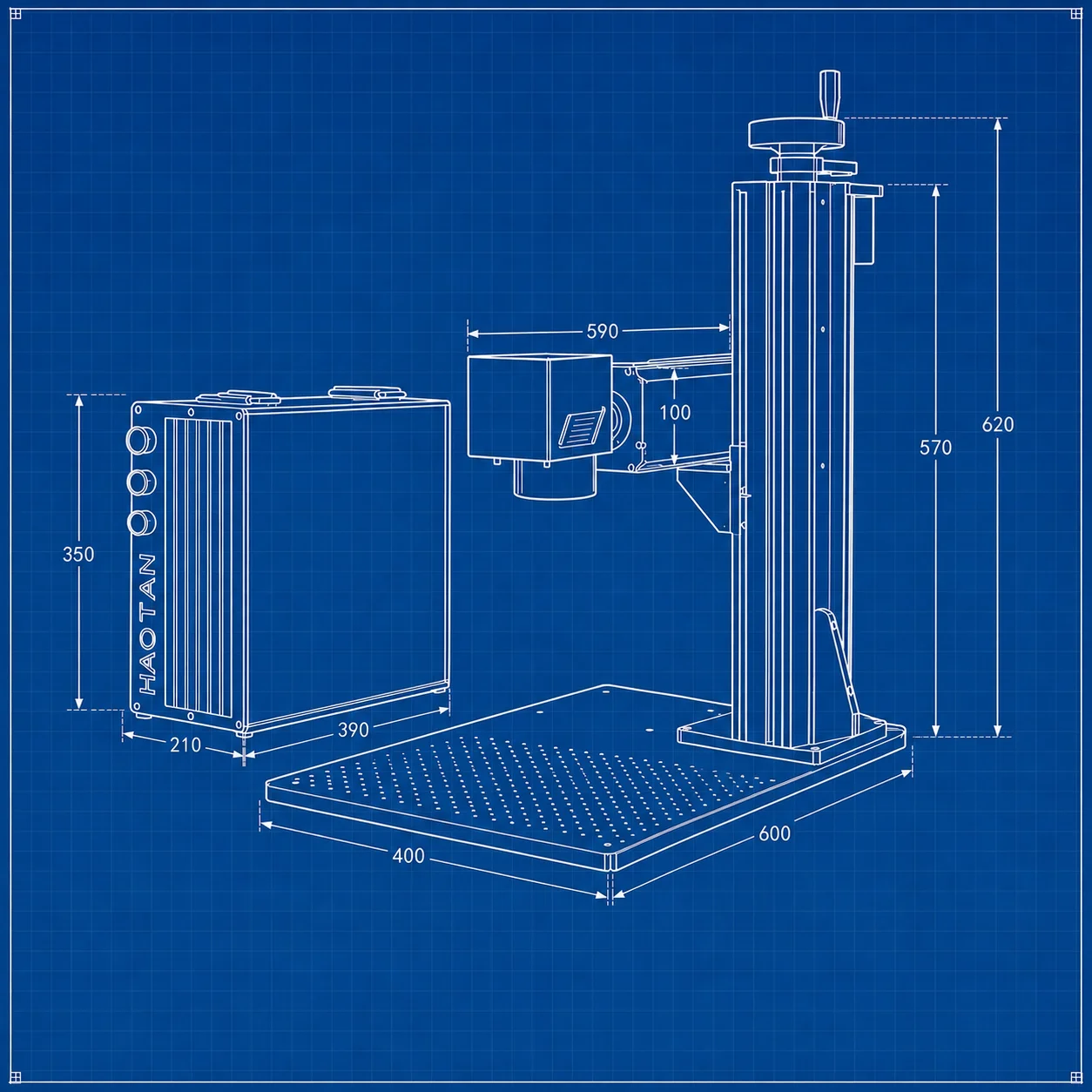
Working area110 x 110 mm (300 x 300 max)
Marking speed5,000 mm/s
Min character size0.15 mm
Min line width0.01 mm
ControllerBJJCZ
SoftwareEZCad 2 + LightBurn
OS supportWin XP/7/8/10, Mac via LightBurn
Data transferUSB 2.0
Graphic formatsPLT, DXF, AI, BMP, JPG, SVG
What Buyers Use the 20W For
Jewelry tagsRing sizing tags, charms, dog tags
Asset markingTool tagging, equipment IDs
Serial numbersSequential part marking
2D barcodesData matrix and QR codes on metal
Anodized aluminumCases, panels, nameplates
Stainless logosMonochrome contrast marking
Cutlery brandsKnife maker marks, hallmarks
Firearm IDsSurface serial numbers (no deep engrave)
Promo itemsPens, keychains, money clips
The Two Limits That Matter
1. No color marking, no exceptions. The Raycus RFL-P20QS is a Q-switched fiber laser. Pulse duration is fixed by the source design at 120 to 150 nanoseconds. Color marking on stainless requires variable pulse width adjustable into the 1 to 200 nanosecond range, which is the defining feature of MOPA fiber lasers. No software setting changes this. If color is required, even occasionally, choose the 30W JPT EM7 MOPA.
2. Deep engraving is slow. 20W average power can deep engrave, but it takes multiple passes and significantly more time per part than 60W or 100W. If deep engraving is more than 10 percent of your workflow, the 60W EM7 best seller is the right machine. The price difference pays itself back in throughput within months.
Buyer Questions
How is 20W different from 30W in actual use?
For surface marking on metals at production speed, the difference is minimal. Both run the galvo at 5,000 mm/s and both produce a clean monochrome mark on stainless, titanium, brass, anodized aluminum, and coated metals. The difference shows up on deeper marks (where 30W finishes faster) and on darker oxide marking on stainless (where 30W produces slightly more contrast on the first pass). For most small-shop production, 20W is plenty. The reason buyers move up to 30W or 60W is usually deep engraving frequency, not surface marking.
What is the smallest text size I can mark legibly?
The minimum character size is 0.15 millimeters and the minimum line width is 0.01 millimeters. In practice, 0.5 millimeter character height is comfortably readable with magnification, and 1.0 millimeter is comfortably readable with the naked eye. For data matrix codes intended for handheld scanner reading, 4 millimeter modules are typical and well within capability.
How does power consumption compare to other Haotian fiber lasers?
The 20W draws 150 watts from the wall at 20 degrees Celsius — less than a desktop computer and well under what any household 110 volt circuit handles. The 30W is 200 watts, the 60W is roughly 250 to 300, and the 100W needs water cooling and pulls considerably more once the chiller is running. If electricity cost or circuit availability matters, the 20W is the smallest footprint in the lineup.
What software ships with it?
EZCad 2 comes pre-loaded with a starter library of parameter sets sorted by material. For Mac users or anyone who finds EZCad's interface dated, the BJJCZ controller in this machine works natively with LightBurn (Galvo edition) — drivers and tutorials are widely available and the workflow is friendlier than EZCad for people who already know LightBurn from gantry CO2 work. LightBurn licensing is bought directly from LightBurn and is independent of the machine purchase.
Will it mark gold, silver, and platinum jewelry?
Gold and silver are highly reflective at 1064 nanometers, which is the fiber laser wavelength. Marking is possible but power needs to be high and speed slow, and there is some risk of back-reflection at extended exposure. For occasional jewelry work the 20W handles it; for high-volume gold and silver marking specifically, the 30W JPT EM7 MOPA produces cleaner results because shorter pulse widths handle reflective metals better. Platinum marks well on any fiber laser including this one.
What is the upgrade path if my work grows?
There is no in-place upgrade — the source is the heart of the machine and source replacement to a higher power or to MOPA architecture costs roughly the same as buying that machine new. The honest upgrade path is to keep the 20W as a dedicated marking station and add a second machine when the workflow requires it. Many production shops run a 20W or 30W for marking and a separate 60W or 100W for deep engraving and cutting, which is more efficient than swapping jobs on a single machine.
Three Year Warranty
Three full years of coverage on both the Raycus source and the rest of the machine — galvo head, controller, motorized Z if equipped, power supply, and software. When something fails inside the warranty period, the replacement part ships at no charge and you keep the original (no return-to-factory diagnostic delay). Source-level defects route directly to the Raycus manufacturer warranty with all freight covered. After the three years end, email support continues for the life of the machine at no additional cost.
What Ships With Every Machine
- Main unit with Raycus 20W RFL-P20QS source pre-installed and tested
- Standard F-theta lens at 110 x 110 mm field
- Bonus second lens, sized to match your typical part dimensions
- Rotary chuck (D60 mini, D80 standard, or D100 large — pick at order)
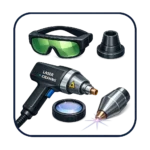
- Laser safety eyewear rated OD5 or above
- Foot switch for hands-free triggering
- Pre-loaded EZCad 2 with starter parameter library
- Cable set, USB drive with drivers and software, printed quick-start
Delivery
Free DDP shipping to the United States, Canada, and the European Union with delivery in approximately 30 days. Free CIF shipping worldwide in approximately 12 days, with the customer handling import duties on arrival. Every machine is built to order; the production lead time is included in the shipping windows above. Lens choice, rotary diameter, and any optional accessories are confirmed at the order confirmation stage so the machine arrives configured for your workflow.
Not Sure If 20W Is Enough?
Send us a part description and a photo. We will tell you which power level fits your workflow before you buy.
Reviews
There are no reviews yet.